The Label Designer is used for setting the physical properties of a label. A group of controls on the left-side of the designer is used for setting the values of the corresponding properties. The label representation on the right-side of the designer updates to reflect any changes made to the properties of the label.
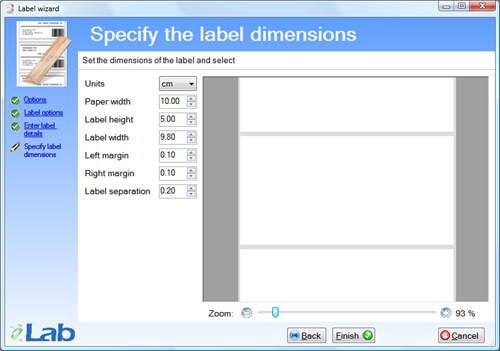
Figure 18.10. The Label wizard - Specify label dimensions screen.
Labels have the following properties:
- Units
The units that the dimensions of the label are described in.
- Paper Width
This is the value of the width of the labels’ paper backing.
- Label Height
The value of this property corresponds to the height of a label.
- Label Width
The value of this property corresponds to the width of a label.
- Left Margin
This is the separation between the left edge of the paper backing and the left edge of the label.
- Right Margin
This is the separation between the right edge of the paper backing and the right edge of the label.
- Label Separation
This is the separation between consecutive labels.
Copyright © 2008 eBioSys Pty Ltd - eLab LIMS